

Key takeaways
- Reservation management is a capacity problem as well as a booking problem because table size, duration, zones and walk-ins affect availability.
- A shared system reduces double booking and lost notes by giving staff one current view of reservations, changes and guest requests.
- Automated confirmations and reminders help, but restaurants still need practical cancellation, late-arrival and no-show policies.
A reservation is a promise involving time, party size, table capacity and guest expectation. Phone calls and message threads can capture a booking, but they do not automatically show how that booking affects the rest of the floor.
A restaurant table reservation system creates one operational calendar for online bookings, staff entries, changes, waitlists and walk-ins. The value comes from keeping availability and guest notes current for everyone who manages the service.
Treat reservations as part of the service workflow
A booking system should help the host manage arrivals, seating, late guests and walk-ins, not merely collect forms before the service begins.
Explore table reservationsDo not publish every empty table as immediately bookable. Protect capacity for table combinations, walk-ins, cleaning time, large parties and the pacing limits of the kitchen.
Why reservation management affects the whole restaurant
Bookings influence staffing, table setup, preparation and expected demand. A cluster of large parties at the same time can overload the host stand and kitchen even when enough seats technically exist.
Good reservation management spreads demand where possible and gives teams advance context. Guest count, occasion, accessibility, dietary notes and seating preferences help the restaurant prepare without promising details it cannot guarantee. Capacity rules should reflect both the dining room and the pace at which the kitchen and service team can support arrivals.

Where phone and message bookings break down
A booking written in one notebook may be invisible to another shift. Messages can be overlooked, edited without context or confirmed by two staff members. When guests call to change the party size, the update may not reach the floor plan.
Phone service should remain available, but staff-entered bookings need to enter the same central system as online reservations. That creates one source of availability and avoids treating digital and manual bookings as separate realities.
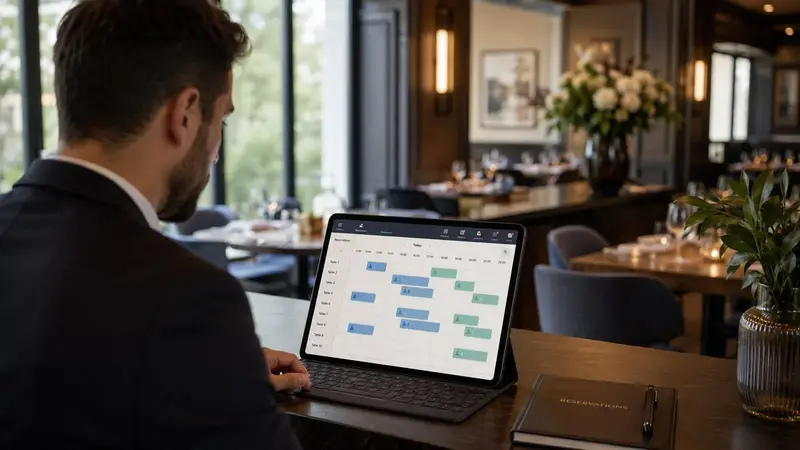
What restaurant reservation software should include
Core functions include opening hours, booking intervals, party limits, table or zone capacity, guest details, special requests, confirmation, reminders, cancellation and status tracking. Staff need permission to override rules when an informed human decision is appropriate.
The system should also support reporting on booking source, party size, no-shows, cancellations, arrival patterns and table usage. Those insights help operators adjust availability instead of relying on broad assumptions.

Manage walk-ins, waitlists and busy service together
Reservations are only part of demand. Hosts need to add walk-ins, estimate waits, hold appropriate tables and update availability as guests arrive, sit, leave or fail to appear. A separate paper waitlist quickly becomes inconsistent with the booking calendar.
Define statuses such as confirmed, arrived, seated, completed, cancelled and no-show. Use estimated dining duration carefully, because rigid assumptions can create pressure on guests and staff. Human judgment remains essential during unusual service conditions. Hosts need authority to adapt the plan while preserving accurate notes for the rest of the team.
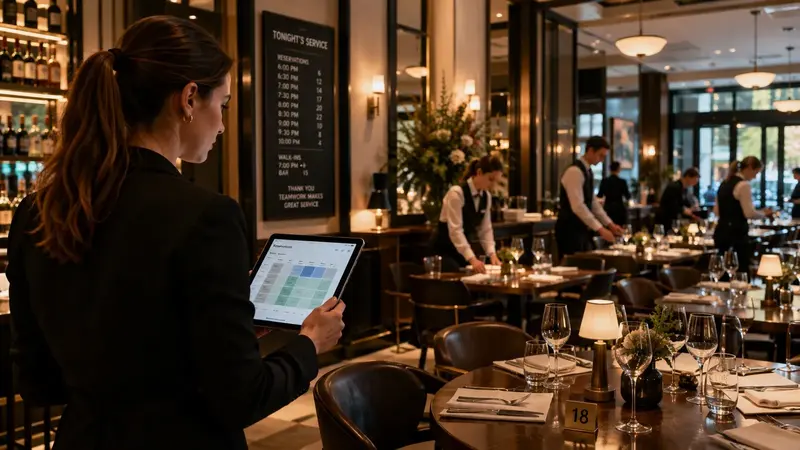
How OrderNow supports restaurant reservations
OrderNow supports online and staff-managed reservations, guest information, booking status, floor-plan context and supported pre-order or request workflows. Reservations can sit alongside other restaurant operations rather than becoming an isolated calendar.
Review the table reservation system or create an account to configure availability and booking rules for your venue.
Reservation system selection checklist
- Can the system represent actual table sizes, combinations, zones and service hours?
- Do online, phone, message and walk-in bookings enter one current view?
- Can staff manage changes, late arrivals, cancellations and no-shows consistently?
- Are confirmations, reminders and policies clear without making unsupported promises?
- Can managers review booking patterns, capacity use and guest-flow problems?
Coordinate availability, guest details and table flow in one place.
OrderNow helps restaurants connect online reservations, staff entries, walk-ins and table status so the host team works from current information.
Start with OrderNowView reservation featuresFrequently asked questions
Can reservation software stop every no-show?
No. Confirmations, reminders, deposits and clear policies can reduce risk, but customer behavior and local conditions still affect attendance.
Should phone bookings still be accepted?
Yes, when the restaurant wants to offer phone service. Staff should enter those bookings into the same central system immediately.
What information should a restaurant collect during booking?
Collect only information needed to manage the reservation, such as name, contact method, party size, date, time and relevant requests, with appropriate privacy handling.


