Restaurant Food Inventory and Recipe Costing Software

Inventory Control Designed Around Recipes, Purchasing and Food Cost

OrderNowQR Inventory connects ingredients, recipes, purchasing, receiving, waste and stock reporting for restaurants, cafés, hotels and multi-location food operations.

Recipeingredient mapping and automatic deduction
PO + GRNsupplier purchasing and receiving workflow
COGSfood cost, stock value and usage reports
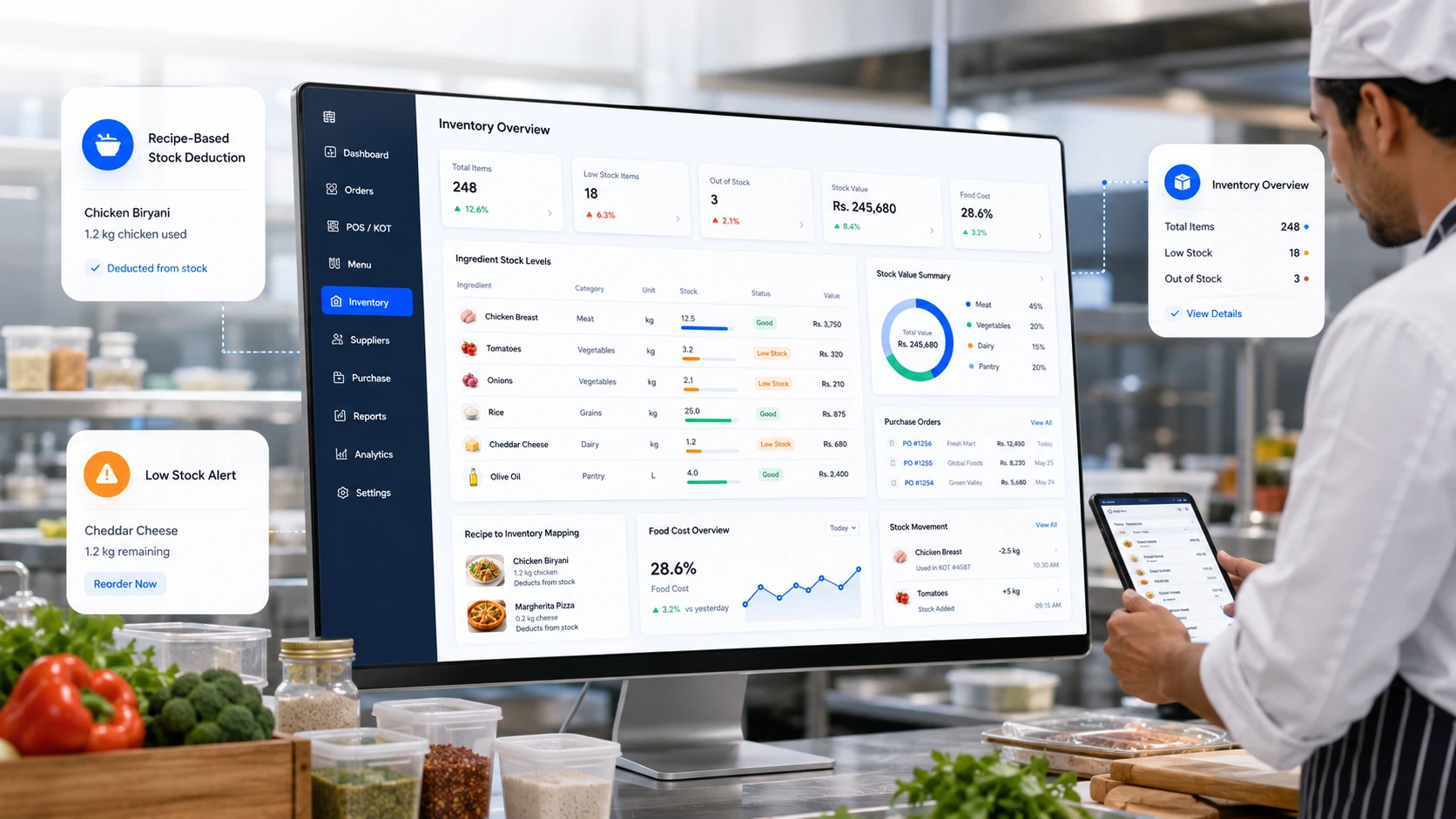
Restaurant inventory management dashboard showing recipe stock deduction, low stock alerts and food cost overview
Food Inventory Works Differently From Retail Stock

A kitchen transforms ingredients into menu items, so stock control must understand recipes and portions.

OrderNowQR links ingredient quantities to menu items and sales activity, while also tracking purchasing, transfers, adjustments and cost.

01

Ingredient Tracking

Monitor ingredients, preparation items and finished products using the units and costs relevant to each item.

02

Recipe Mapping

Define the exact ingredient quantity required for each menu item or preparation recipe.

03

Stock Deduction

Use eligible sales activity to calculate recipe-based ingredient consumption.

04

Food Cost Control

Review recipe cost, cost of goods sold, inventory value, waste and purchasing trends before changing menu prices.

The Real Problem

Food margin is often lost through small, repeated inventory errors.

Unrecorded usage, inconsistent portions, receiving differences, missed waste and poorly tracked transfers can accumulate into significant cost without clear evidence.
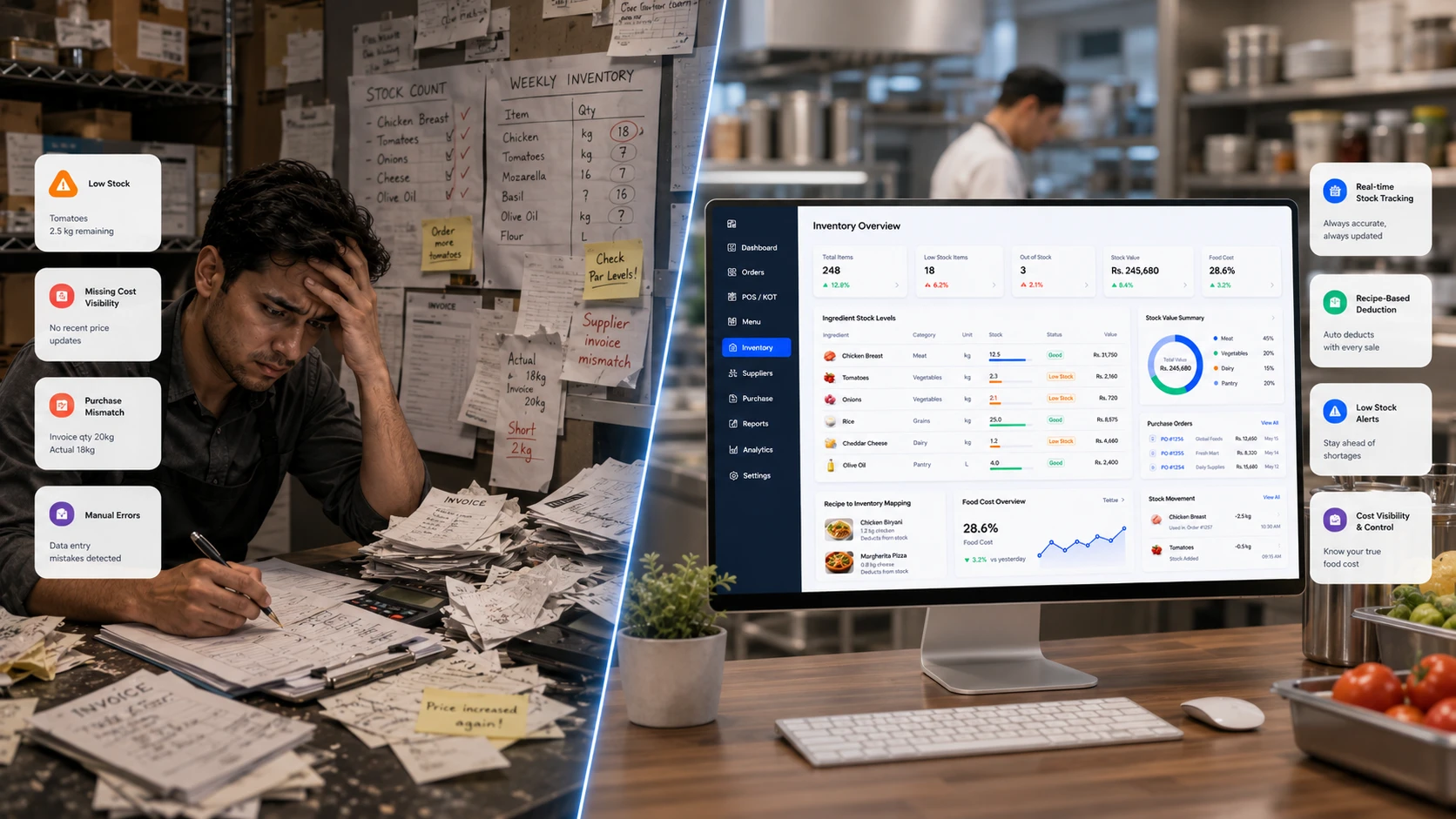
  • Reduce manual stock count mistakes and missed deductions.
  • Find low stock and out of stock items before they hurt service.
  • Replace scattered spreadsheets with one live inventory view.
Manual restaurant inventory problems compared with a modern digital inventory management dashboard
Recipe-Based Ingredient Usage

Translate each eligible sale into the ingredient quantities defined by its recipe.

Build a recipe once, connect it to the menu item and let the system calculate expected usage whenever a qualifying sale is recorded.

1

Add ingredients

Create raw materials with units, costs and opening stock.

2

Create recipes

Define the exact quantity needed for each menu item.

3

Sell through OrderNowQR

Orders from POS, QR menu and online flows trigger stock usage.

4

Track balance

View updated stock, usage, cost and reorder alerts.
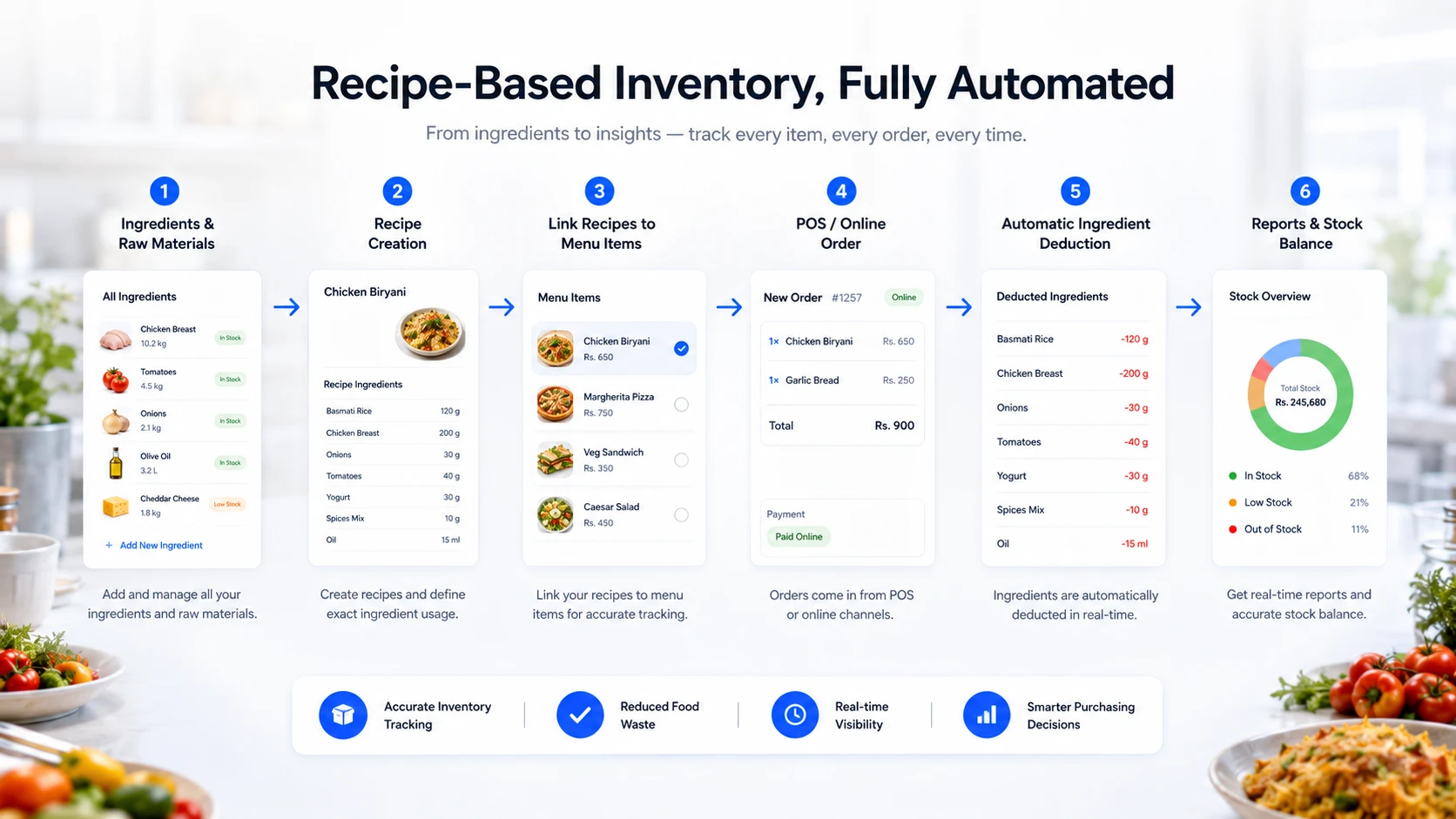
Recipe-based restaurant inventory workflow from ingredients to menu item sale and automatic stock deduction
Live Stock Dashboard

Review ingredients, current balance, unit cost, status and stock value from one inventory workspace.

Managers can see current quantities, shortages, valuation and movement history without waiting for a manually consolidated spreadsheet.
  • Ingredient, raw material and semi-finished item tracking.
  • Current stock, unit cost, stock value and status visibility.
  • Stock additions, removals, transfers and corrections with reasons.
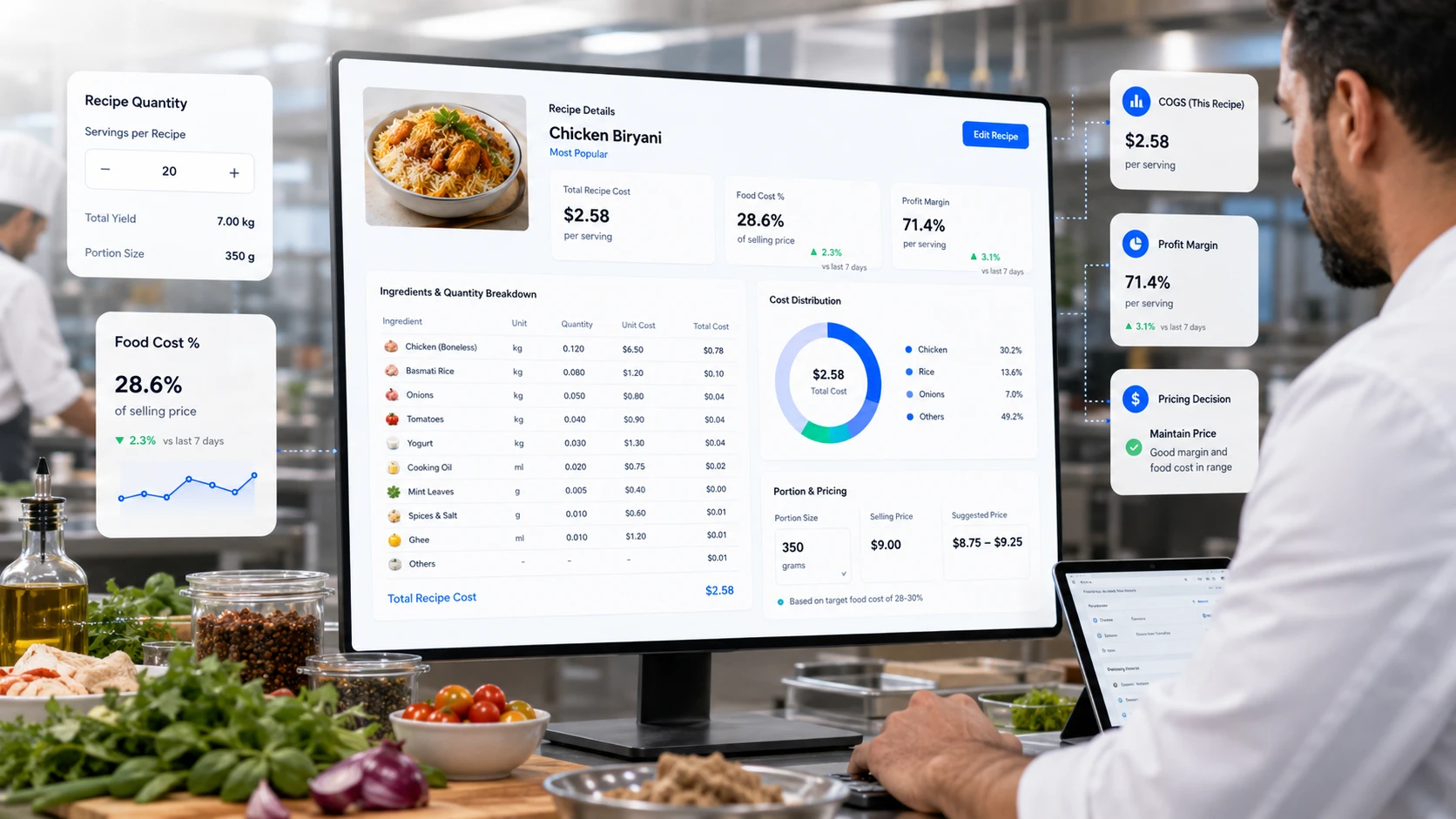
Kitchen recipe and food cost control dashboard with ingredient quantities, food cost percentage and profit margin
Food Cost Accuracy

Understand the expected ingredient cost of every serving.

Accurate recipe and usage data helps operators compare selling price with expected food cost, waste and margin.

01

Recipe Cost

Calculate ingredient cost per recipe and understand the real cost of each serving.

02

COGS Visibility

Track cost of goods sold and connect sales activity with ingredient usage.

03

Better Pricing

Use food cost and margin visibility to make smarter menu pricing decisions.

Purchasing & Suppliers

Organize supplier purchasing and goods received in the same stock workflow.

Create purchase orders, record received quantities and checks, update inventory and retain supplier history for later review.
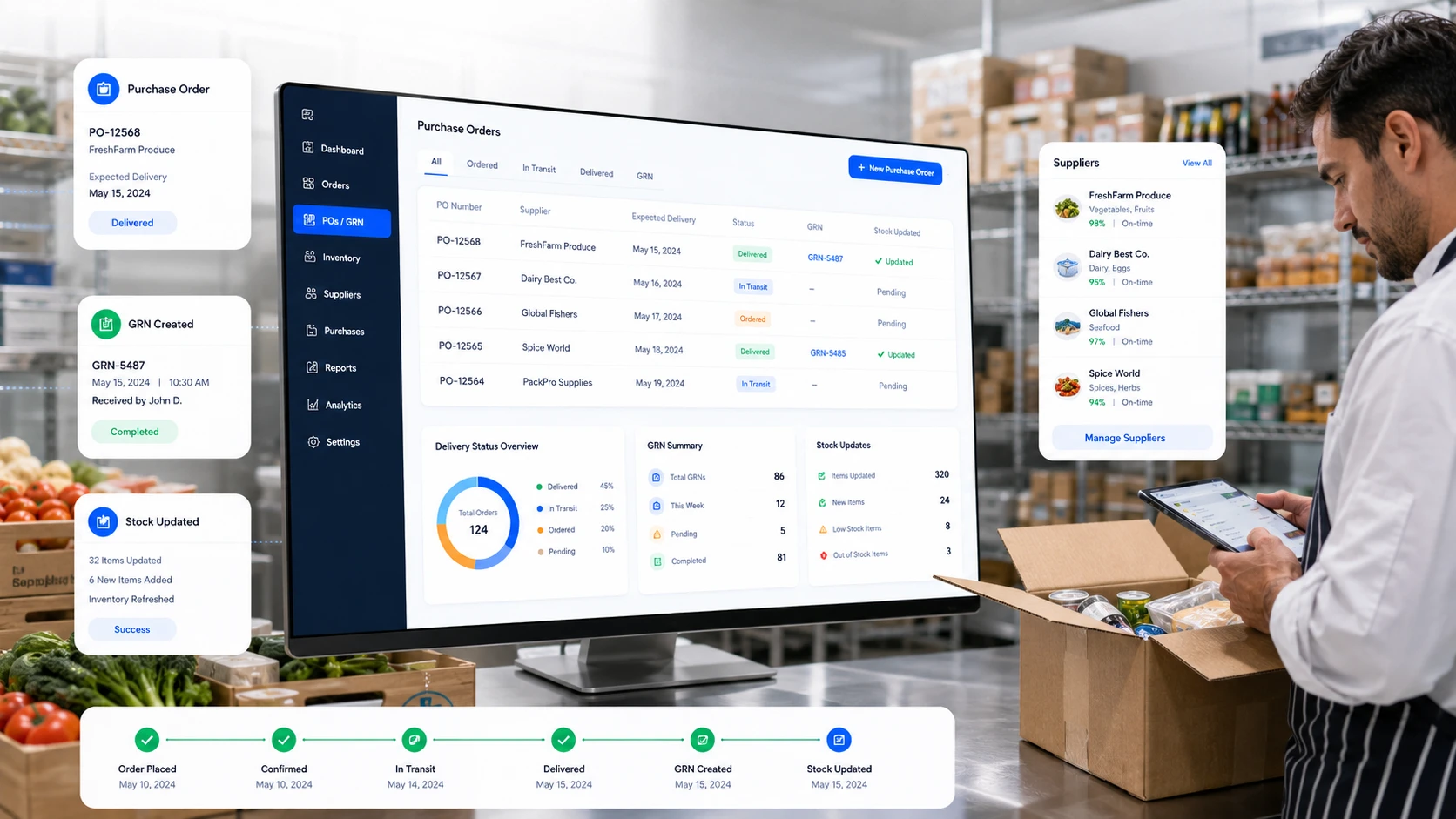
  • PO number generation, supplier selection and expected delivery date.
  • Goods received notes with quantity, quality check and stock update.
  • Supplier contact details, purchase history and pricing visibility.
Restaurant purchase order, GRN and supplier management dashboard in a stock receiving area
Hotels & Multi-Outlet Operations

Coordinate stock across outlets, kitchens, stores and central warehouses.

OrderNowQR Inventory can support central stores, multiple outlets, hotel food-and-beverage departments, cloud kitchens and franchise networks with location-level balances and transfer records.
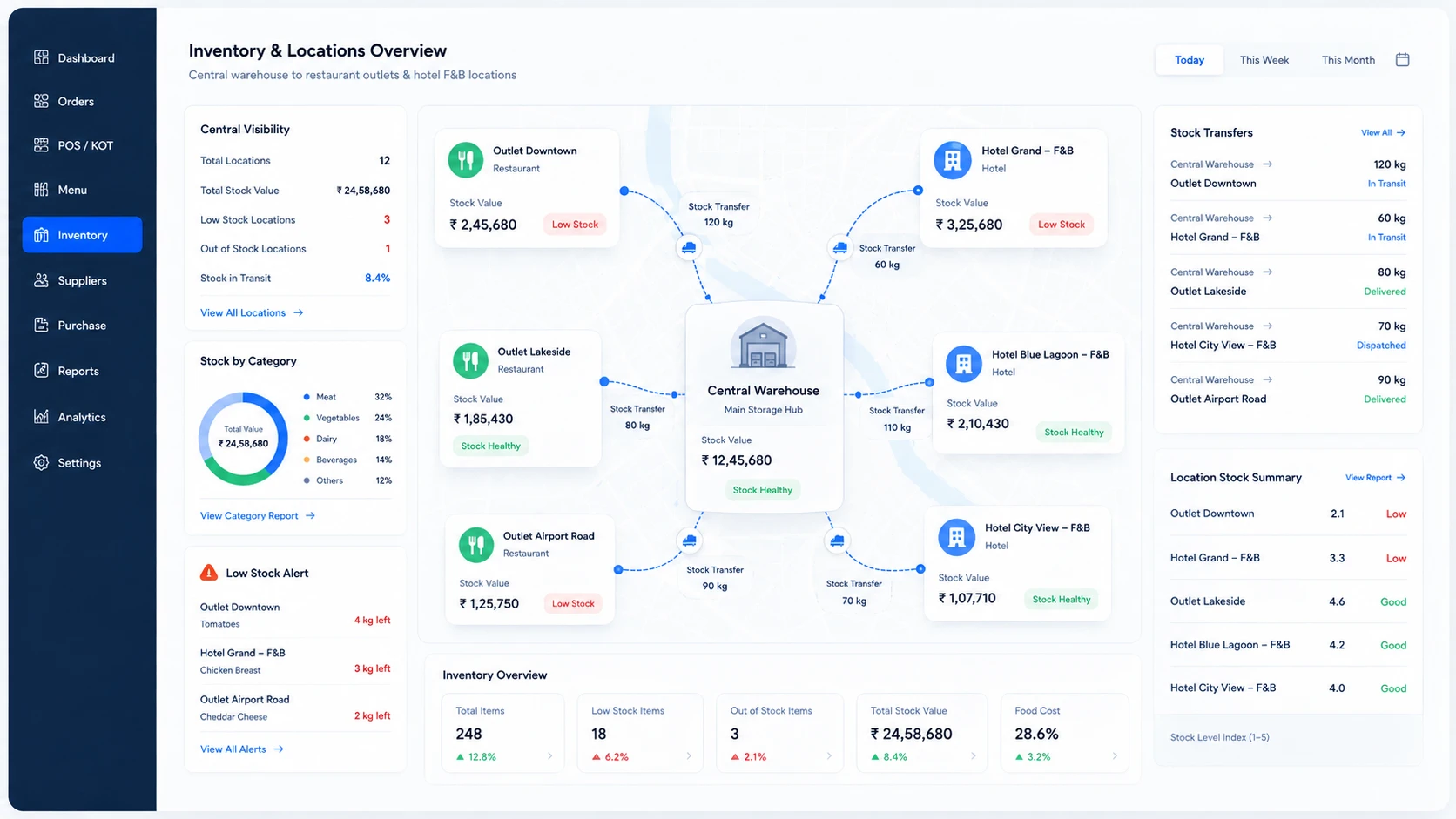
  • Central warehouse to outlet stock transfers.
  • Location-based low stock alerts and stock value summaries.
  • Better control for hotel F&B, restaurant chains and cloud kitchens.
Multi-location restaurant and hotel inventory dashboard with central warehouse and outlet stock transfers
Waste & HACCP Logs

Record waste, spoilage, damage, corrections and operational food-safety checks.

Inventory accuracy depends on every movement, not only purchases and sales. Teams can document waste, damage, adjustments and configured compliance checks with reasons and dates.
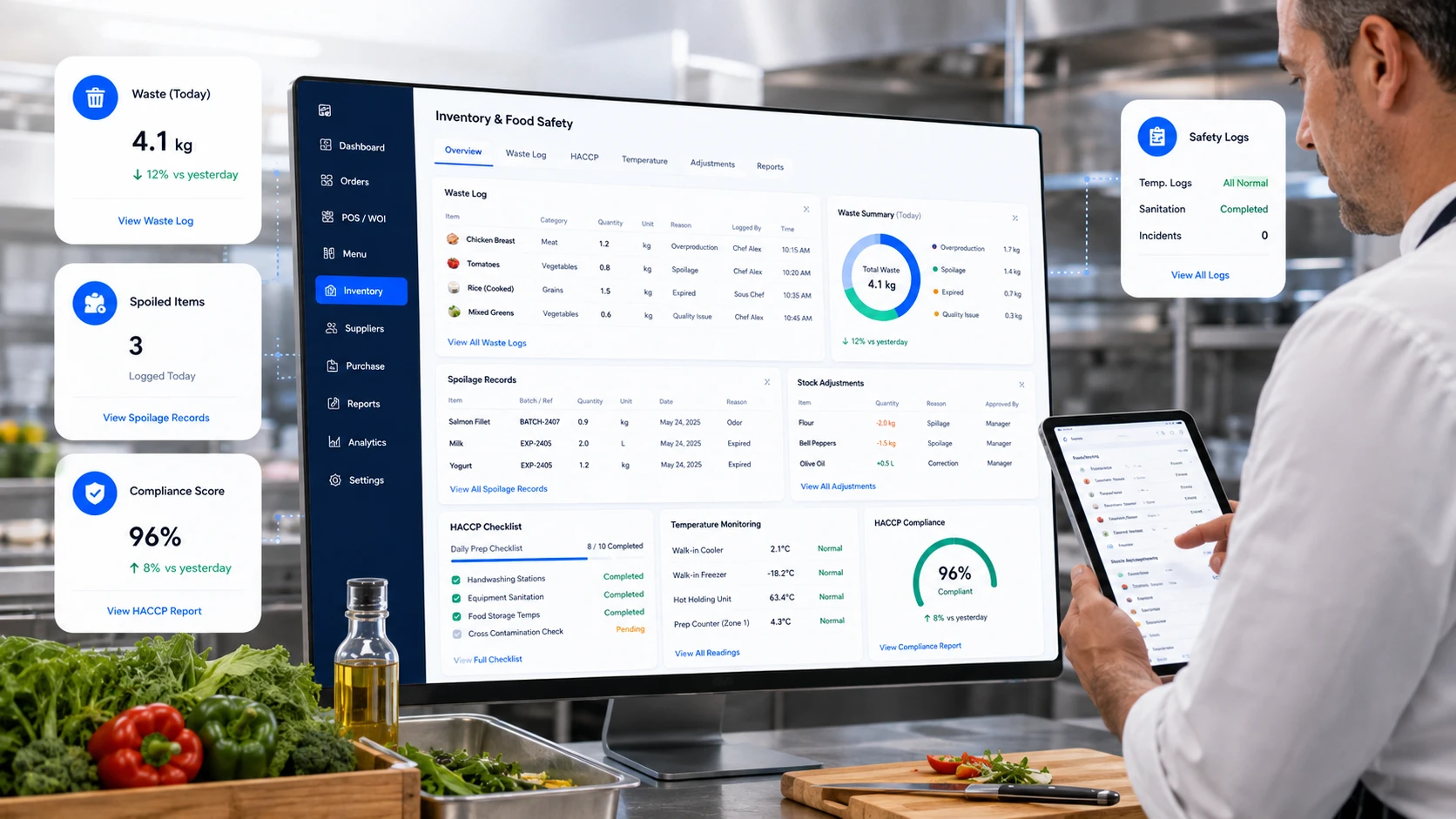
  • Waste logging with item, quantity, reason and date.
  • Stock adjustments for spoilage, damage and correction.
  • Food safety records for HACCP and compliance workflows.
Restaurant waste logging and HACCP food safety dashboard with temperature logs and compliance score
Inventory Reports

Use stock and usage evidence to plan purchasing.

Reports can surface shortages, valuation, variance, cost of goods sold, supplier activity, movement and usage patterns that require action.
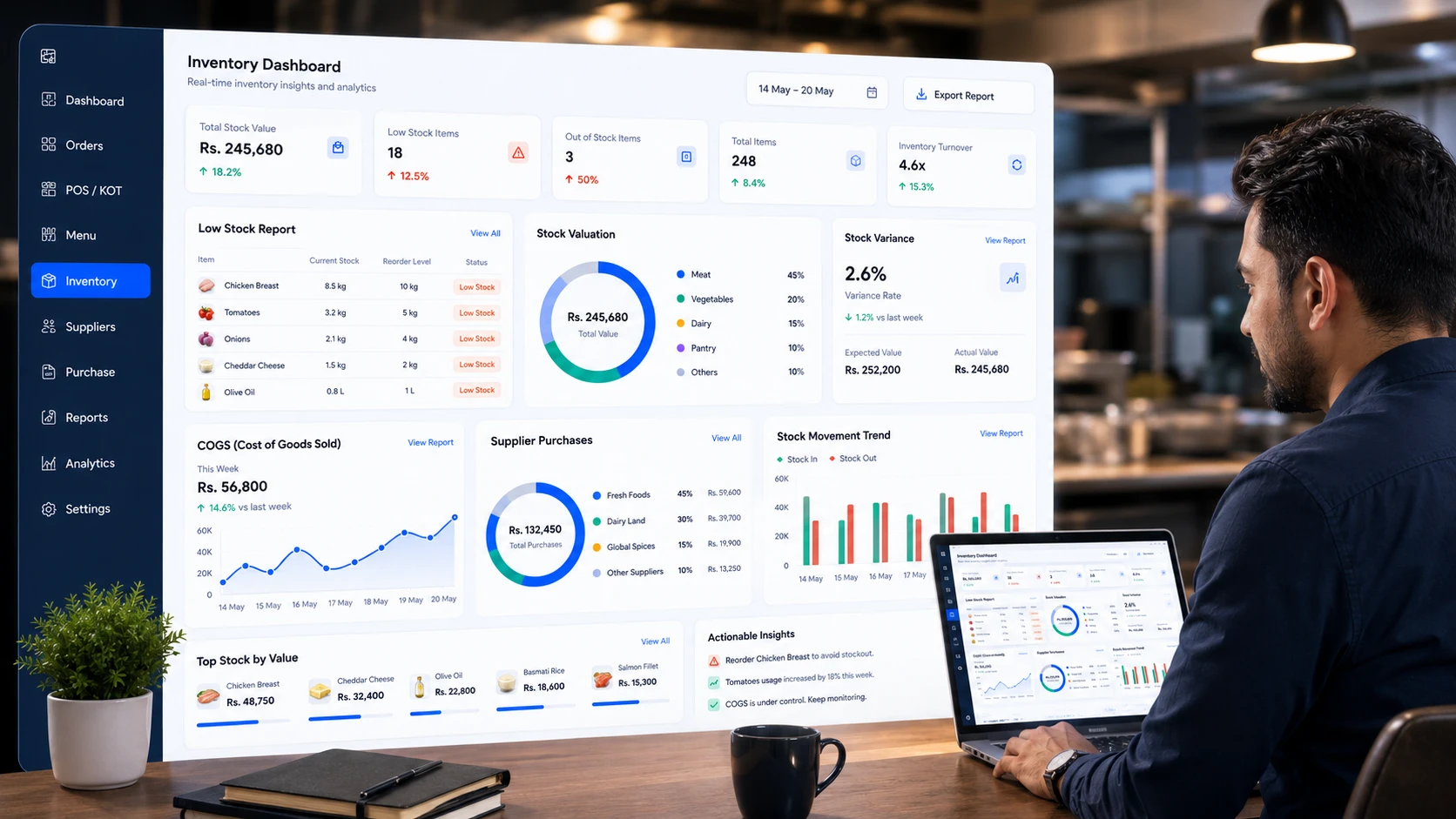
  • Low stock and reorder reports before shortages happen.
  • Stock valuation, variance and cost of goods sold visibility.
  • Supplier purchase reports and stock movement trends.
Restaurant inventory reports dashboard showing low stock, stock valuation, variance, COGS and supplier purchases
Connected Operations

Connect expected stock usage with real restaurant activity.

When ordering and POS data feed recipe usage, the inventory record reflects operations more closely and reduces reliance on repeated manual deductions.
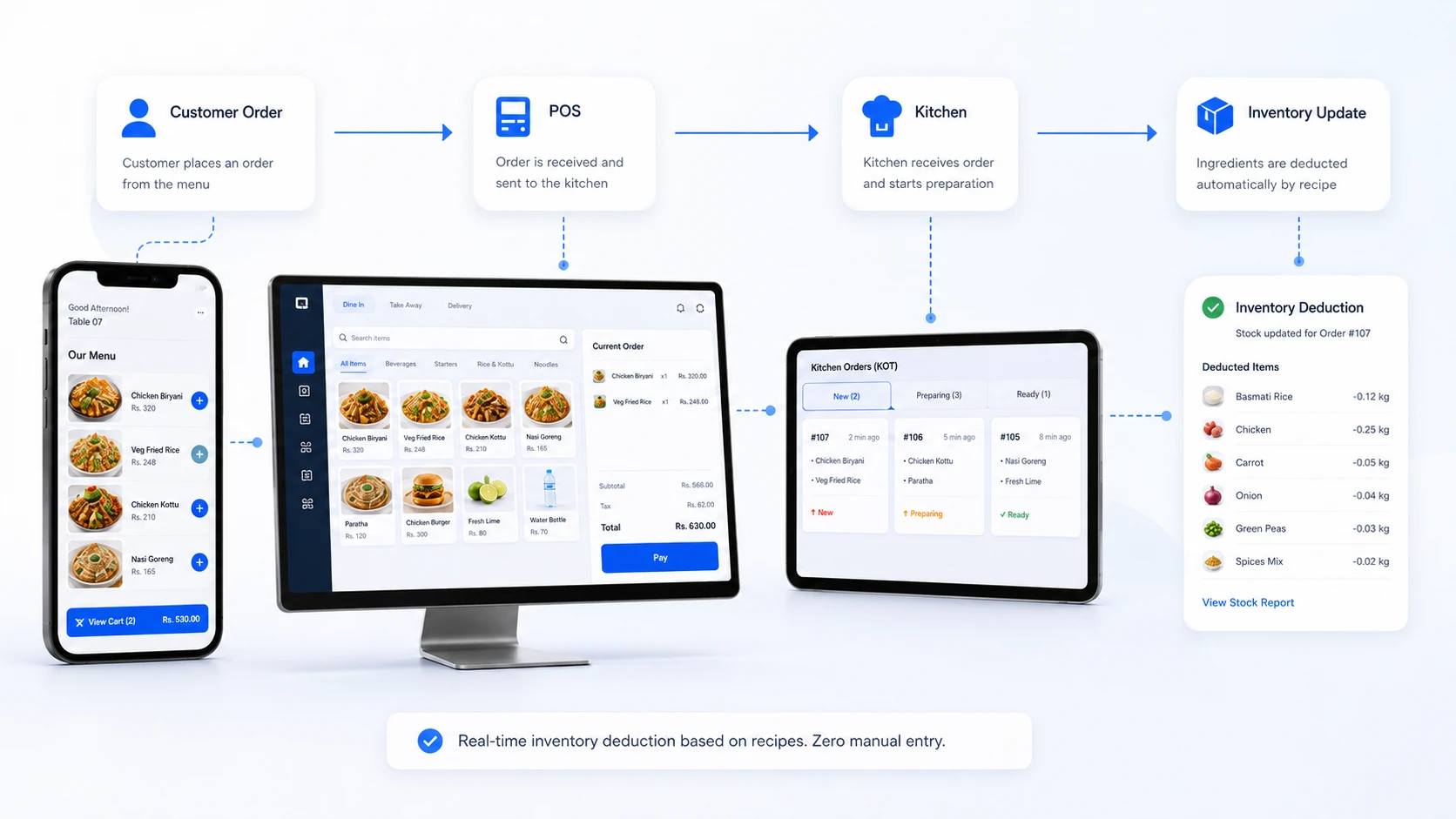
  • POS orders linked to recipe and ingredient usage.
  • QR and online orders connected to stock workflows.
  • KOT visibility for kitchen teams and better operational flow.
OrderNowQR POS, QR ordering, kitchen KOT and automatic inventory deduction workflow
Who It Helps

Food inventory workflows for different hospitality businesses.

The module can serve independent venues, hotel outlets, cloud kitchens, cafés, restaurant groups and catering operations that need stronger stock and cost control.

RestaurantsRecipe stock, waste control and food cost visibility.
HotelsF&B inventory across outlets, kitchens and stores.
CafesCoffee, milk, bakery items and consumables.
Cloud KitchensProduction, dispatch and kitchen stock control.
ChainsCentral warehouse and branch stock visibility.
CateringEvent stock planning and bulk ingredient usage.
Inventory FAQ

Common questions before moving from spreadsheets or basic stock tools.

These answers cover recipe usage, purchasing, goods received, suppliers, waste, reporting and location-level stock.

It is a food inventory module for ingredients, recipes, stock balances, purchasing, receiving, suppliers, waste, transfers and management reports.

A recipe defines the expected quantity of each ingredient. When a qualifying sale is recorded, the system calculates usage from those quantities.

Yes. Raw materials, ingredients, preparation items and finished products can use their own units, balances and unit costs.

Yes. The workflow can cover supplier records, purchase orders, expected dates, goods received, quantity checks and inventory updates.

Yes. Multi-location workflows can include central stock, multiple outlets, hotel outlets and documented transfers between locations.

Yes. Managers can review low-stock status, unavailable items, reorder needs and inventory value.

Yes. Waste, damage, corrections and configured food-safety or temperature records can be documented.

Available reporting can include shortages, valuation, variance, cost of goods sold, supplier purchases, movement and location-level inventory.

Yes. Inventory works best when connected with POS, digital ordering and KOT workflows, because stock usage can follow real orders instead of relying only on manual entries.

Yes. Hotels can use OrderNowQR Inventory for restaurant outlets, room service kitchens, central stores, hotel F&B departments and multi-location stock control.

Take Control of Inventory

Ready to replace inventory guesswork with traceable data?

See how recipes, purchasing, receiving, movement, waste and reporting can fit your current food operation.
Enter your details to prepare a WhatsApp message for the OrderNowQR team.

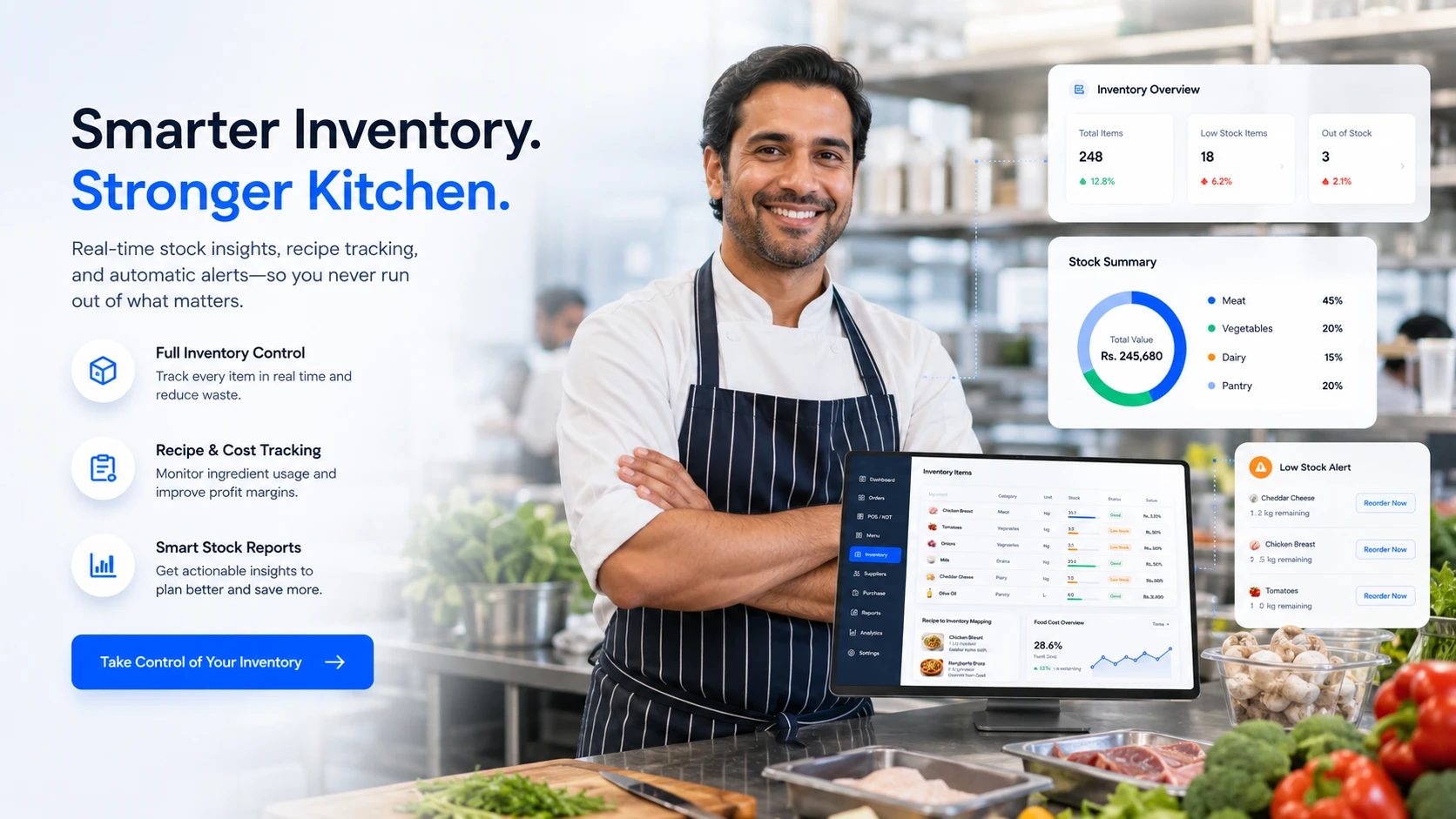
Restaurant chef and inventory dashboard showing smarter stock control and stronger kitchen operations
Request Demo Start Free