
Key takeaways
- A digital QR menu is a mobile-first menu that can show live items, prices, photos, options and availability after a guest scans a code.
- The strongest systems connect menu browsing with ordering, POS, kitchen and reporting instead of stopping at a static page.
- Restaurants should evaluate usability, update speed, operational fit, accessibility and backup options before choosing a platform.
A digital QR menu gives guests a direct way to open a restaurant menu on their phone. The QR code is only the entry point. The real product is the responsive menu behind it, including categories, item details, prices, images, modifiers, dietary information and any enabled ordering actions.
For operators, the practical advantage is control. A menu can be updated without waiting for another print run, and the same menu data can support table service, counter ordering, pickup, delivery or hotel guest ordering. When it connects with the restaurant workflow, it becomes an operating tool rather than a digital brochure.
See how a connected digital menu works
Create a menu, test the guest experience and decide which ordering and operational modules your venue actually needs.
Start with OrderNowChoose a menu platform by testing the complete guest journey: scan, browse, customize, order and receive confirmation. A good-looking QR code cannot rescue a confusing mobile experience.
What is a digital QR menu?
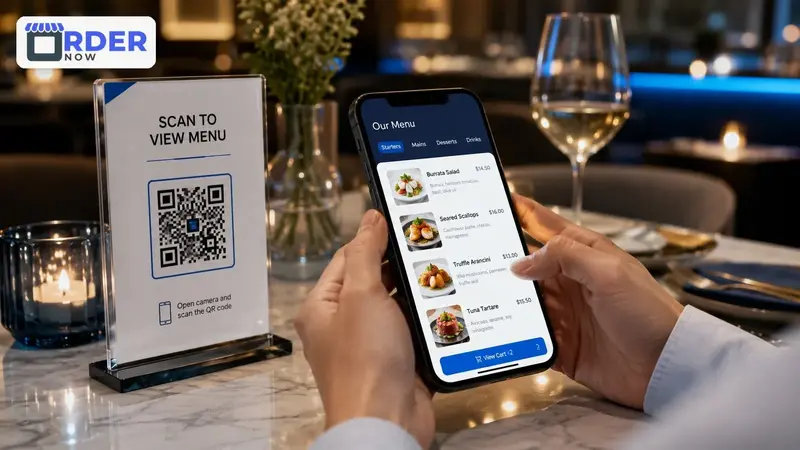
A digital QR menu is an online restaurant menu designed to open quickly on a mobile browser after a guest scans a QR code. Unlike a photograph or document, it can organize dishes by category, display current availability, support item options and present information in a format that adapts to different screen sizes.
A restaurant may use one public QR code for general browsing or create codes linked to specific tables, rooms, counters or service zones. That context can help the system identify where an order came from, which service type applies and which staff workflow should receive it.
How scan-to-order restaurant workflows work
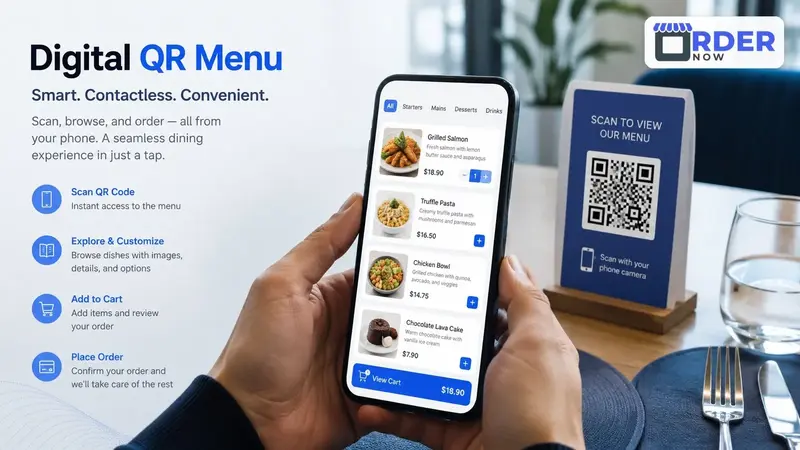
The guest scans a code, opens the menu, reviews items and selects any available variations or extras. If ordering is enabled, the guest adds items to a cart, confirms the order type and submits the request. No app download should be required for the basic customer journey.
Behind the screen, the platform can attach useful context such as table number, pickup selection, guest notes and item modifiers. The restaurant then receives the order through its configured dashboard, POS, KOT printer or kitchen display. Clear status updates help staff and guests understand what happens next.
Digital QR menu vs PDF menu vs printed menu
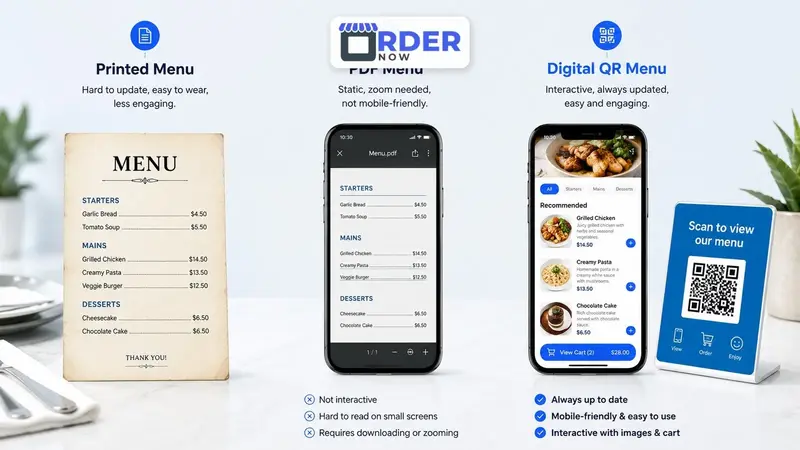
A printed menu offers a familiar physical experience, but every price or item change may require manual corrections or reprinting. A PDF is easier to distribute online, yet guests often have to zoom and scroll because the document was designed for paper rather than a phone.
An interactive QR menu is built around mobile navigation and live menu data. It can support search, categories, item options, availability and ordering. Many restaurants still keep a limited number of printed menus for accessibility, preference or premium presentation while using the digital menu as the current operational source.
Operational benefits beyond replacing paper
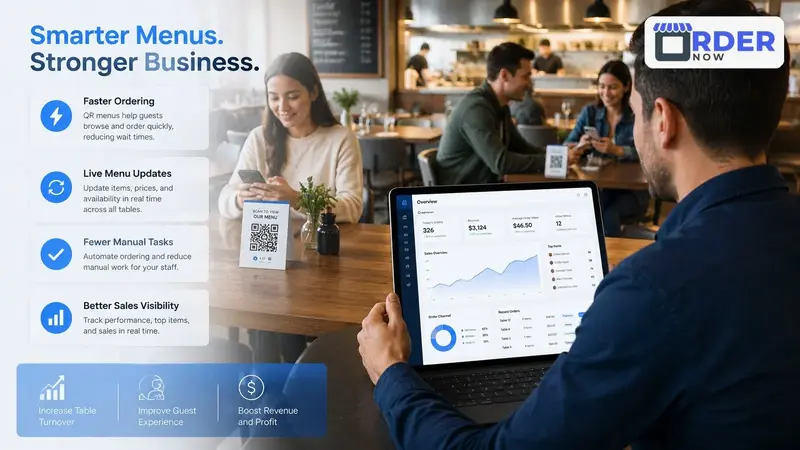
The most obvious benefit is faster menu maintenance. Staff can update prices, descriptions and availability from one place instead of replacing files across multiple channels. Better item presentation can also reduce repetitive questions by showing photos, portion choices, add-ons and dietary notes clearly.
The larger benefit appears when menu activity connects with restaurant operations. Orders can arrive with fewer transcription steps, managers can compare item demand, and teams can maintain a more consistent guest experience across dine-in, takeaway, delivery and multiple locations.
How to choose a digital QR menu platform
Start by testing the menu on an average smartphone and a slower connection. Check loading speed, readable text, clear categories, item customization, allergen or dietary information, language support and the number of steps required to complete an order. Staff should also be able to update the menu without technical assistance.
OrderNow combines an interactive digital menu with optional restaurant operations tools. Explore the digital menu workflow, compare POS and kitchen capabilities, or create an account to test how the platform fits your service model.
Digital QR menu evaluation checklist
- Does the menu load quickly and remain readable on common phone sizes?
- Can guests understand categories, prices, options and availability without staff help?
- Can authorized staff publish updates immediately and keep information consistent?
- Does the platform support the service channels and kitchen workflow your venue uses?
- Is there an accessible backup for guests who cannot or prefer not to scan a QR code?
Launch a digital menu that can grow with your restaurant.
Begin with mobile menu access, then add ordering, POS, kitchen, inventory, reservations and reporting when those modules solve a real operational need.
Create your menuExplore platform featuresFrequently asked questions
What is the difference between a QR code and a digital QR menu?
A QR code is simply a link. A digital QR menu is the mobile experience the link opens, including current menu data, navigation, item information and any enabled ordering functions.
Do guests need to install an app to use a QR menu?
A well-designed web-based QR menu opens in the phone browser and does not require an app for normal browsing or ordering.
Should a restaurant remove every printed menu?
Not necessarily. Printed menus can remain as an accessibility option, a backup during connectivity problems or a deliberate part of the brand experience.


