

Key takeaways
- QR ordering mainly reduces the time between a guest deciding and the restaurant receiving the order, not the actual cooking time.
- Structured item choices and modifiers can prevent transcription mistakes when the menu and kitchen workflow are configured correctly.
- The best implementations keep staff available for hospitality, accessibility, recommendations and exception handling.
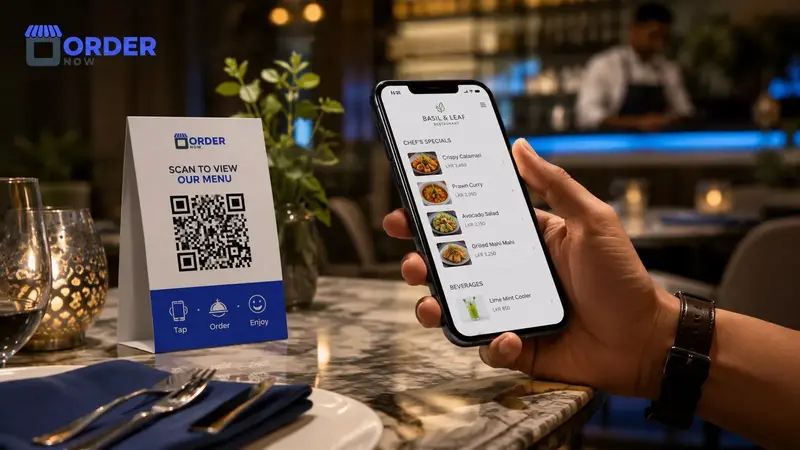
Guests often experience waiting before the kitchen even knows what they want. They wait for a menu, wait to ask a question, wait for a server to return and then wait while the order is entered. QR ordering can remove some of those early delays by letting the guest begin when ready.
It can also capture item options directly from the menu. That reduces one source of error, but only when modifiers are clear and the restaurant has a reliable process for reviewing, accepting and preparing incoming orders.
Design QR ordering around service, not staff replacement
Use digital ordering to remove avoidable waiting while keeping team members available for guidance, accessibility and genuine hospitality.
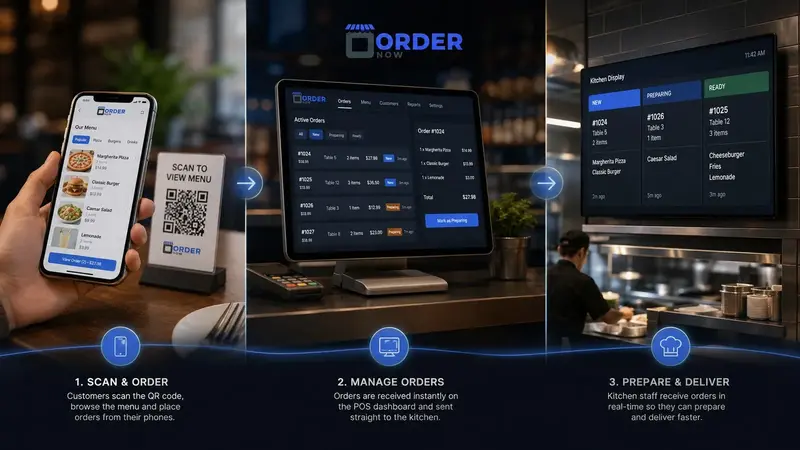
See the QR ordering flowQR ordering moves the order-entry point closer to the guest. It does not increase kitchen capacity, so promised times and order throttling still matter during heavy demand.
Waiting time starts before food preparation
A guest may be ready to order long before a server becomes available. In counter-service venues, a queue can form simply because every customer must read the menu and communicate choices at the same point. Those delays are separate from preparation time.
QR ordering allows guests to browse and build an order at their own pace. The restaurant receives demand earlier, and staff can focus on assistance and exceptions rather than repeating the same menu-taking process at every table.
Where restaurant order errors are introduced
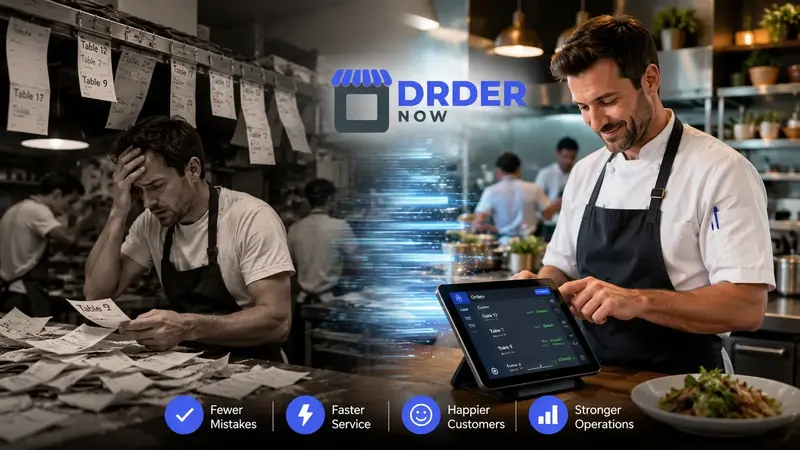
Errors can appear when a guest describes a variation, a server abbreviates it, a cashier enters a different option or the kitchen interprets an unclear note. The more times information is copied, the more opportunities there are for a mismatch.
A structured menu presents only valid sizes, add-ons and choices for each item. The submitted order preserves those selections. Restaurants still need staff review for unusual requests, allergy communication and cases where the guest selected the wrong option.
Why table-specific QR codes improve context
A generic QR code can open the same menu everywhere, but it may not tell the restaurant where an order belongs. A table-specific code can carry table or service-zone context automatically, reducing the need for guests to type information manually.
Codes should be tested after tables move, floor plans change or printed stands are replaced. Staff also need a simple way to verify suspicious or duplicate orders, especially when a code can be scanned from outside the venue.
Use QR ordering without weakening hospitality
During busy periods, self-ordering can spread order entry across guest devices instead of one server terminal. That can help teams handle demand, but restaurants must decide how orders are accepted, how guests request assistance and what happens when the kitchen reaches capacity.
Keep an assisted path available. Some guests need help with language, accessibility, dietary requirements, payment or technology. Staff should be visible and proactive rather than disappearing because a QR code is on the table.
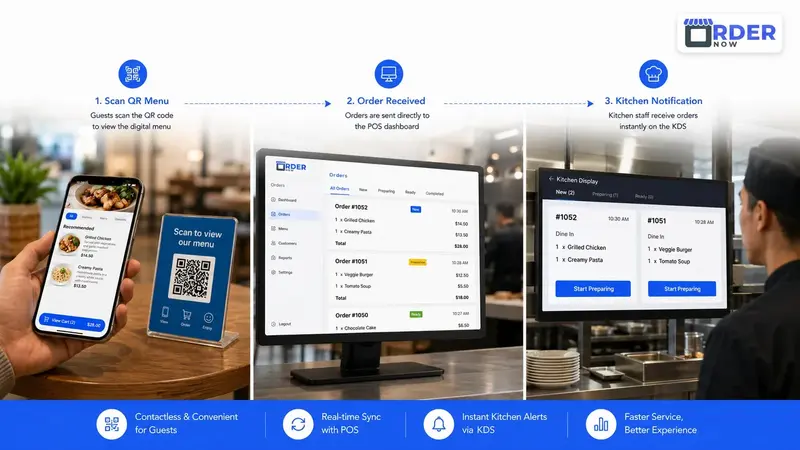
How the OrderNow QR ordering workflow connects
OrderNow can link table or service-point QR access with a mobile menu, item customization, cart and restaurant order dashboard. Enabled orders can then move into POS, KOT or kitchen display workflows with their source and notes attached.
Explore the digital QR menu and ordering features or create a restaurant account to test the customer and staff experience.
QR ordering rollout checklist
- Are item choices, modifiers and dietary notes clear enough to prevent guest confusion?
- Does every QR code open the correct menu and attach the intended table or service context?
- Who reviews incoming orders, changes promised times and handles exceptions?
- Can guests request human assistance without abandoning the digital flow?
- Is there a fallback process for device, network, payment or accessibility problems?
Give guests a direct ordering path while keeping staff in control.
OrderNow connects mobile menu choices with the restaurant dashboard, POS and kitchen workflow so digital ordering supports service instead of becoming another isolated channel.
Create a QR menuExplore all featuresFrequently asked questions
Does QR ordering replace restaurant servers?
It should not eliminate hospitality. It can reduce repetitive order entry while staff focus on recommendations, accessibility, problem solving and guest care.
Can QR ordering remove every order error?
No. It can reduce transcription errors, but unclear menu setup, incorrect guest choices, allergies and operational mistakes still require good processes and staff attention.
Do customers need an app for OrderNow QR ordering?
The guest menu can open in a mobile browser, so customers do not need to install an app for the standard scan, browse and order journey.


